Focused work, separate context
Each helper has its own conversation and task. Explore and Plan helpers use read-only tools; general-purpose helpers can carry out assigned work.
A little help for the bigger picture
Give a bigger job to Nervenet. It can break off focused tasks for helpers, follow their progress and continue with their reports, while you stay in one conversation.
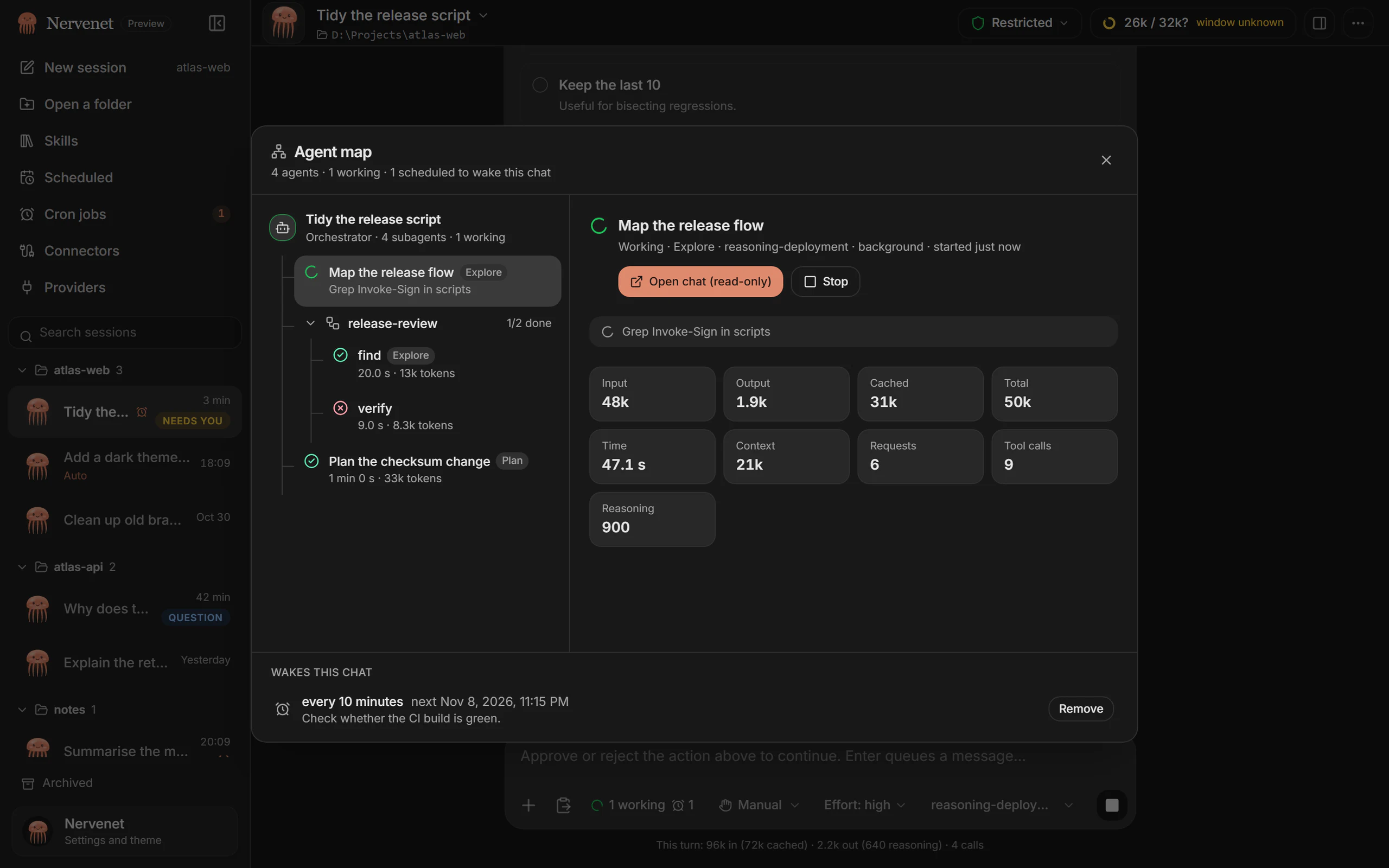
See the Agent mapFocused helpers. One main conversation.
Each helper has its own conversation and task. Explore and Plan helpers use read-only tools; general-purpose helpers can carry out assigned work.
Nervenet can wait for a helper’s report or continue while it works in the background. When a background helper finishes, its report wakes the main chat.
Helpers follow the parent chat’s access and approval rules. Requests appear in your main conversation, and Stop stops the orchestrator and its helpers.
Inside the desktop app
The Agent map shows helpers, status, time and usage. Open a helper’s conversation read-only to follow its steps.
Bring the next idea